 Tronscan
Tronscan contract verification: Deployment Settings and Source Matching
Tronscan contract verification checks submitted Solidity source against the bytecode at a deployed TRON contract address. A successful match requires the deployment's compiler version, optimization settings, and original source files. Select the correct network and main contract, preserve dependencies, and prepare nested projects for the documented file-upload method.
Last updated
Source Matching and Public Contract Inspection
Tronscan's verification tool connects a deployed contract with readable source code, while its contract detail view makes successfully published source available for inspection. The match concerns the program at one address. Public inspection helps explain its methods, access restrictions, and token behavior. The contract-detail API also exposes a mapping from method selectors to method signatures. Source code describes the implemented rules; transaction results and event records describe recorded execution. A readable contract doesn't establish that a particular transfer or approval succeeded. Check the transaction's execution result and the relevant transfer or approval records to establish what occurred.
Deployment Settings That a Submission Must Preserve
The verification form needs the settings used to build the deployed contract, because a different build can produce different bytecode from similar source.
Solidity Compiler Type and Version
The Solidity compiler type and version must match those used for deployment, including the distinction between TRON and Ethereum compilers. A source file's version declaration describes its permitted compiler range; it doesn't necessarily identify the exact compiler that produced the deployed program. Preserve the build configuration alongside the source. Choosing a newer compiler because it accepts the same file doesn't reproduce the original build.
Optimization and Runs
The Optimization field records whether deployment used compiler optimization. Runs records the configured optimization runs when optimization was enabled. Neither field describes how many times people have called the contract. Replacing the original values with a familiar preset changes the build inputs. If optimization was disabled, follow that deployment setting; don't enable it merely to improve the verification submission.
Main Contract and License
The Main Contract field identifies the Solidity contract whose source you want to match. Select the intended declaration from the submitted code, especially when a file contains supporting contracts. The License field describes the source's licensing terms. Use the actual license instead of assigning one merely to complete the form. Verification and source licensing answer different questions, even though both appear in the publication workflow.
Network Selection Before Bytecode Matching
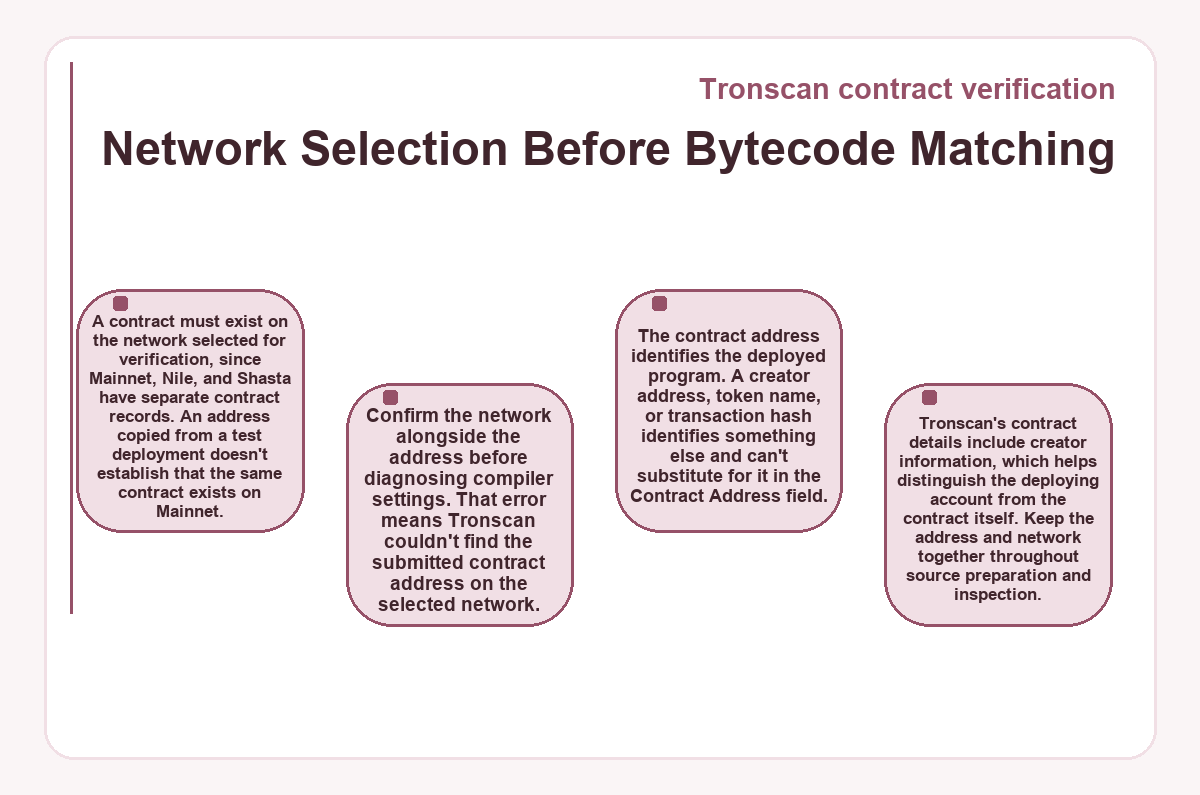
A contract must exist on the network selected for verification, since Mainnet, Nile, and Shasta have separate contract records. An address copied from a test deployment doesn't establish that the same contract exists on Mainnet. Confirm the network alongside the address before diagnosing compiler settings. That error means Tronscan couldn't find the submitted contract address on the selected network.
The contract address identifies the deployed program. A creator address, token name, or transaction hash identifies something else and can't substitute for it in the Contract Address field. Tronscan's contract details include creator information, which helps distinguish the deploying account from the contract itself. Keep the address and network together throughout source preparation and inspection.
Original Files, Dependencies, and Flattened Solidity
The source submission must preserve the deployed program and its dependencies, including code that supports the selected main contract.
Files From the Deployed Build
Use the source version that produced the deployment. A later local edit can leave a project looking nearly identical while changing the compiled program. Imported dependencies matter for the same reason: their code contributes to the contract being verified. Preserve the actual dependency files rather than substituting a newer release with the same package name.
Projects With Subdirectories
The file-upload workflow documented in July 2025 requires contracts with subdirectory structures to be flattened into one .sol file. Flattening merges dependencies into a single source file for that method. It changes the submission's file arrangement, while the intended contract logic and deployment settings must remain consistent. This requirement belongs to that upload workflow; it doesn't describe every possible verification interface.
Keep the original project available alongside the flattened file. It preserves the directory structure and dependency versions needed to investigate a mismatch. A successful merge alone doesn't establish a bytecode match.
Why Does Verification Fail After I Enter the Deployment Settings?
Verification fails when the submitted source or build settings don't match the deployed contract, or when the selected network can't locate its address.
The network lookup error and the general parameter error need different responses. A missing deployment calls for checking the address and network. Changing the optimizer won't create a contract on another network. A message asking you to confirm the parameters instead directs attention to the submitted build and source. Check the compiler type and version, license type, optimizer choice, enabled optimization runs, and main contract against the deployment records.
A source mismatch can survive correct form entries. The uploaded files might contain changes made after deployment, or dependencies from a different build. Compare those artifacts with the deployed project's records before changing otherwise correct settings. Editing several inputs at once makes it harder to identify which discrepancy caused the failure. Preserve the configuration that reproduces the deployment when testing a correction.
A failed match leaves that submission unverified. It doesn't undo the contract's deployment or establish that the deployed code is malicious.
Upload, CAPTCHA, and Publication Controls
Review the source files and comments for credentials or unrelated private material, and resolve any exposure before submitting. The file-upload form uses Upload Contract File(s) to collect the matching source files. Its CAPTCHA component requires access to Google services. Network restrictions can prevent that component from loading, even when the contract address and compiler settings are correct. This is an interface-access problem, so changing Solidity code doesn't resolve it. Complete the CAPTCHA, then select Verify and Publish to submit the files for matching. CAPTCHA completion concerns the submission interface; it says nothing about the contract's behavior or security.
Submission Choices for Flat and Nested Projects
An existing deployment and its original build records give a project without subdirectories a direct preparation path. A nested project needs the flattened submission required by the documented file-upload method. Both cases use the deployed contract's address, selected network, and build settings. The source's arrangement determines the additional preparation; it doesn't change what a successful match must establish.
- If the contract exists on another network, correct the network selection before uploading source.
- If the deployed project has no subdirectory structure, prepare its original files and dependencies for upload.
- If dependencies use subdirectories, flatten them into one .sol file while preserving the deployed contract's logic.
- If compiler or optimizer entries differ from deployment records, correct those fields before selecting Verify and Publish.
- If Tronscan displays Contract Verified, inspect the published source at the intended contract address.
If verification fails, investigate the reported discrepancy before resubmitting. The successful path ends with published source for the intended deployment, not merely an uploaded file.
Does Verified Source Establish a Contract's Safety?
Verified source establishes correspondence with deployed bytecode; it doesn't establish that the contract's permissions, spending rules, or other behavior are safe.
Readable source makes those rules available for examination. A contract may include privileged functions, restricted transfers, or authority to change particular settings. Their consequences depend on the actual implementation and who controls the relevant permissions. Verification doesn't remove such features. Evaluate the code's conditions in the context of the operation you intend to authorize, rather than assuming that publication makes every method suitable.
Token approvals grant a spender authority under a token contract's rules. Publishing verified source doesn't grant or revoke that authority. An approval decision therefore needs the token and spender identities, together with the behavior of the relevant methods. A familiar token symbol doesn't identify its contract.
Source matching also differs from a security audit. A readable program can contain a flaw or deliberately permissive logic. Examination needs to address those behaviors directly, including any implementation behind a proxy.
Proxy Addresses and Implementation Records
A proxy's source record concerns the address being inspected, while its implementation record identifies a separate contract that may supply its logic.
Tronscan's contract-detail API includes a field identifying a proxy's implementation address.
The response distinguishes
is_proxy
,
proxy_implementation
, and
old_proxy_implementation
. These fields preserve the difference between the proxy, its implementation, and an older implementation record.
Examine the implementation's own verification record when your question concerns the logic it supplies. Source published for one address doesn't establish a match for another address. Likewise, an older implementation field doesn't identify the present implementation by itself. Keep the address being reviewed explicit when describing verification status or evaluating contract methods.
Source Publication and Later Interactions
Successful verification makes the submitted contract source publicly available. If sensitive information belongs to the deployed source, address that exposure before publication. Silently changing the submitted program can prevent it from matching the deployment.
Publishing another contract requires that contract's own deployment inputs. Inspecting this contract requires attention to its methods and permissions, and to an implementation address where relevant. Before authorizing a token approval or contract call, determine which program governs the action and whether its verified source answers the behavior you're assessing.
Tronscan contract verification: what people ask
-
What Does the Main Contract Field Mean When My Token Has a Different Name?
- The Main Contract field uses the Solidity declaration's name, which follows the contract keyword in the source. A token's displayed name and symbol are separate metadata. They don't replace the declaration name in the verification form. Select the contract that produced the deployment, even when its Solidity name differs from the token name that wallets display.
-
Does a Partially Verified Contract Count as Fully Verified?
- Partial verification and full verification are distinct statuses in Tronscan's contract-detail API. The verify_status field uses 0 for unverified, 1 for partially verified, and 2 for fully verified. Preserve those meanings when displaying a verification result. A partial status doesn't establish a full match, and that status alone doesn't explain which source components remain unresolved.
-
Is Automatic TRC-20 Token Recognition Equivalent to Source Verification?
- Automatic token recognition doesn't establish a source-to-bytecode match. Tronscan recognizes compliant TRC-20, TRC-721, and TRC-1155 contracts as tokens after deployment. Source verification separately compares the submitted source with deployed bytecode. A token listing therefore describes recognition of the token contract, while its verification record describes the source match.
-
Why Does a Contract Verification Lookup Return Count: 0 Alongside Contract Data?
- The contract-detail endpoint documents count as 0 regardless of the length of its data array. Use the array length to determine how many contract records that detail response contains. A zero count in this response doesn't by itself mean that the queried contract is missing. This behavior is specific to the detail endpoint, so it shouldn't replace count handling elsewhere.
-
Can a Verification Lookup Include Empty Audit Report Fields?
- A contract-detail response can contain empty auditReportUrl, auditDep, and auditDate fields. Those fields hold audit metadata when available; their presence as field names doesn't establish that an audit occurred. Read the verification status separately from audit information. If the audit fields are empty, the response supplies no report, auditing organization, or audit date through those fields.
-
Why Does a Non-Token Contract Include tokenInfo in a Verification Lookup?
- Tronscan's contract-detail API returns a tokenInfo object for non-token contracts as well as token contracts. Its contents can include a TRX placeholder, so the object's presence alone doesn't identify a fungible token contract. Read verify_status to check the contract's source verification status. Token metadata doesn't replace evidence that the submitted source matches the deployed contract.